Squiggy - Positron Extension
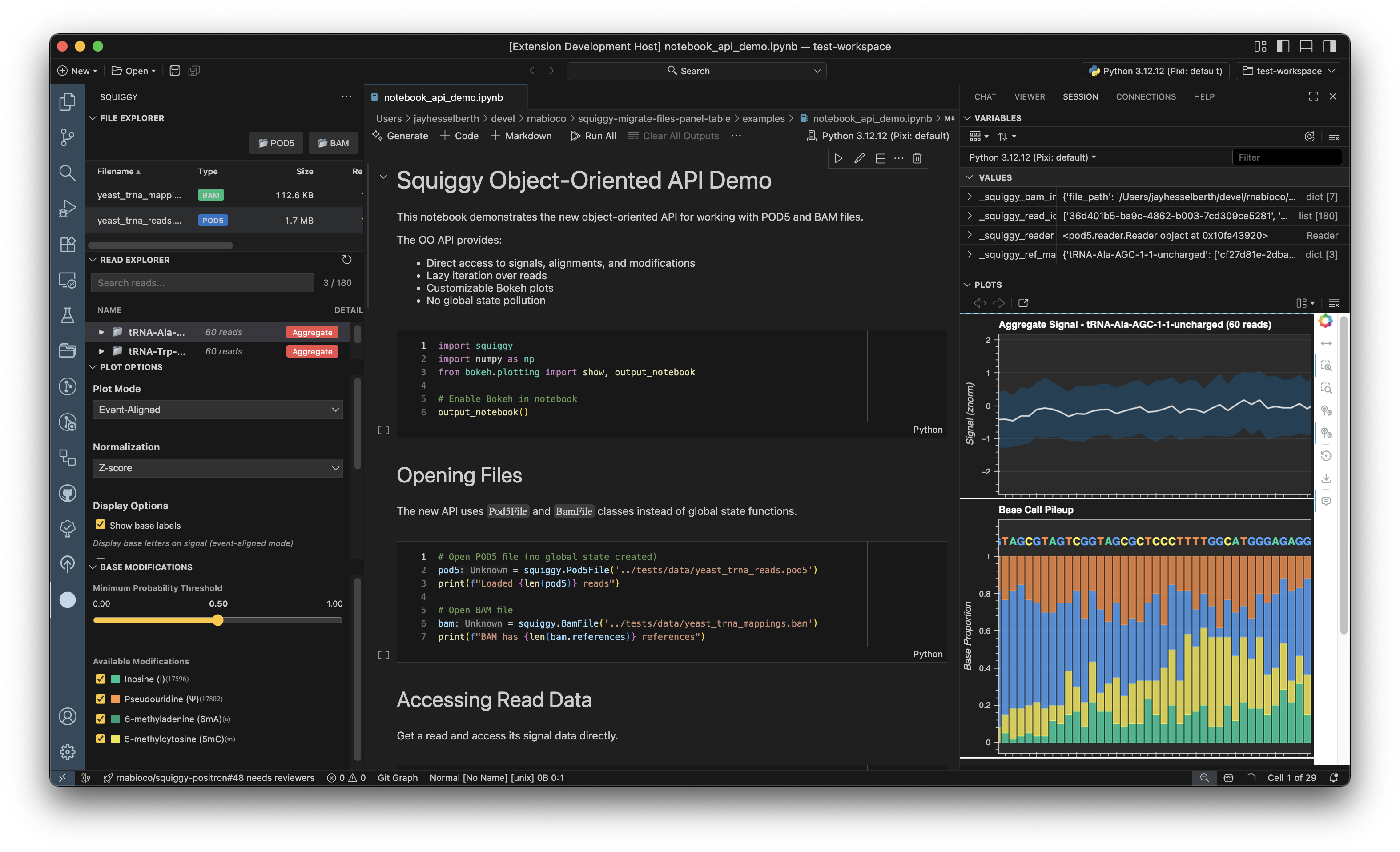
Squiggy is a Positron IDE extension for visualizing Oxford Nanopore sequencing data from POD5 files directly in your workspace.
Documentation
- User Guide - Complete guide to using the extension
- Multi-Sample Comparison Guide - Compare 2+ POD5 datasets with delta tracks
- Quick Reference - Commands, shortcuts, and common workflows
- Developer Guide - Setup and contribution guide
- API Reference - Python package documentation
Features
- Positron Integration: Works with your active Python kernel
- Interactive Visualization: Bokeh-powered plots with zoom, pan, and hover
- Base Annotations: Overlay base calls on signal data (requires BAM file)
- Read Filtering: Search by read ID, reference region, or sequence motif
- Modification Analysis: Filter and visualize base modifications with probability thresholds
- Multi-Sample Comparison: Load 2-6+ samples and compare with delta, signal-overlay, or aggregate-comparison views
System Requirements
- Positron IDE: Version 2025.6.0 or later
- Operating Systems: macOS (Intel/Apple Silicon), Linux, Windows
- Python: 3.12 or later
- Memory: 4GB RAM minimum (8GB recommended for large POD5 files)
- Disk Space: Varies by dataset size (POD5 files can be several GB)
Installation
Install from OpenVSX (Recommended)
- Open Positron IDE
- Open Extensions panel (
Cmd+Shift+X/Ctrl+Shift+X) - Search for "Squiggy"
- Click Install
Or visit the OpenVSX marketplace page.
First Time Setup
When you first use Squiggy, it automatically:
- Creates a dedicated virtual environment at
~/.venvs/squiggy - Installs the bundled
squiggyPython package usinguv - Configures a background kernel for extension operations
No manual Python package installation required! The extension handles everything.
Note: The automatic setup requires
uvto be installed. Ifuvis not found, you'll be prompted to install it.
Alternative: Install from VSIX
Download the latest .vsix file from GitHub Releases and install via Extensions → ... → Install from VSIX...